Testing glossy parts before you invest: a feasibility checklist
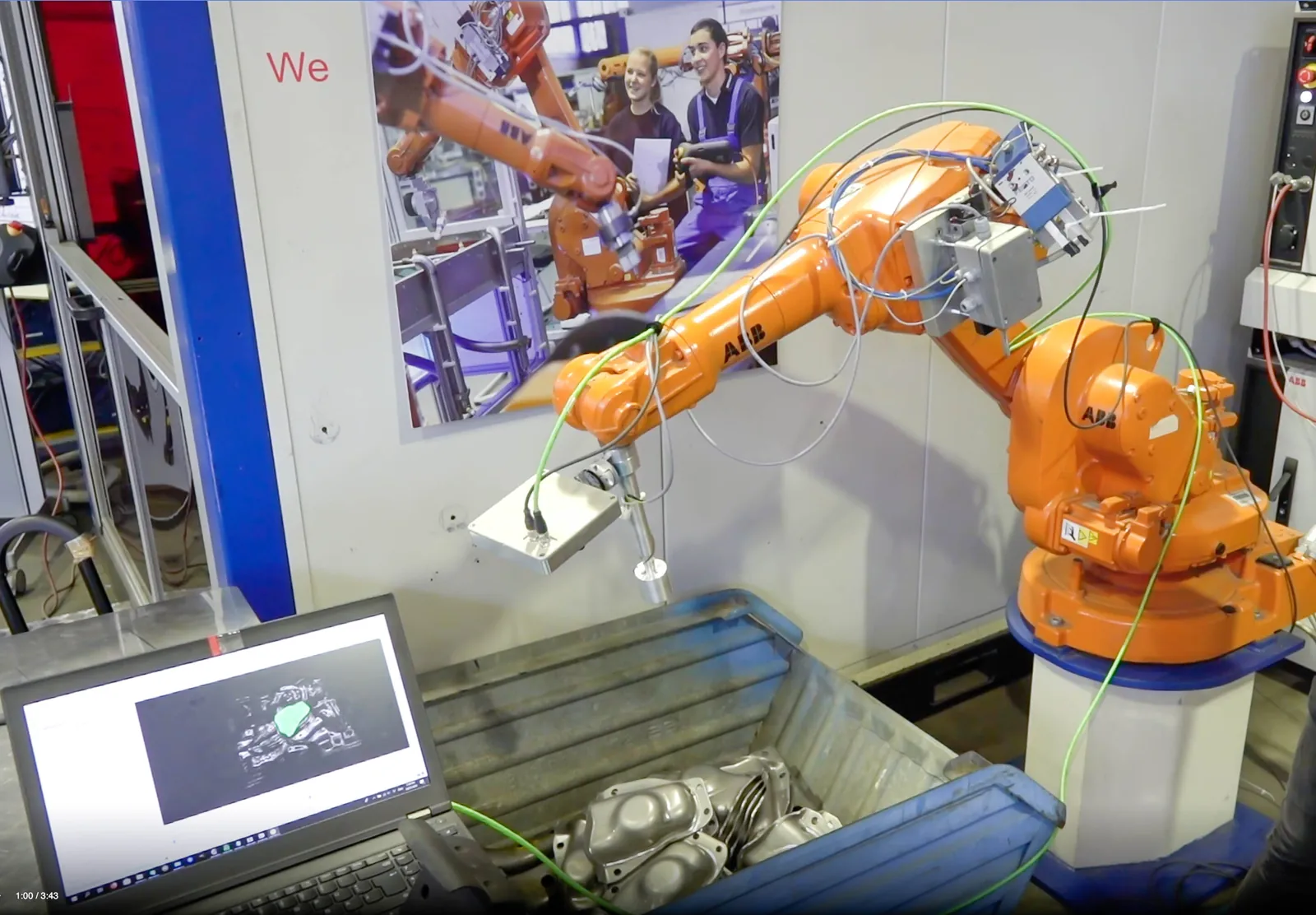
A well-prepared test shows in days instead of months how a 3D camera sees your glossy parts – and tells you honestly when a different approach is the better choice.
This article is part of our guide 3D vision for glossy, oily and metallic parts. For the general path from idea to proof of concept, see 5 steps to your proof of concept.
1. Send the hardest parts, not the nicest
A test is only as good as its samples. Choose them to cover the worst cases the cell will see:
- Surface states: freshly machined and aged, dry and oily, the darkest and the shiniest finish.
- Batches and suppliers: if several suppliers deliver the same part, include parts from each.
- Variants: every part type the cell has to handle, especially if bins are not sorted by type.
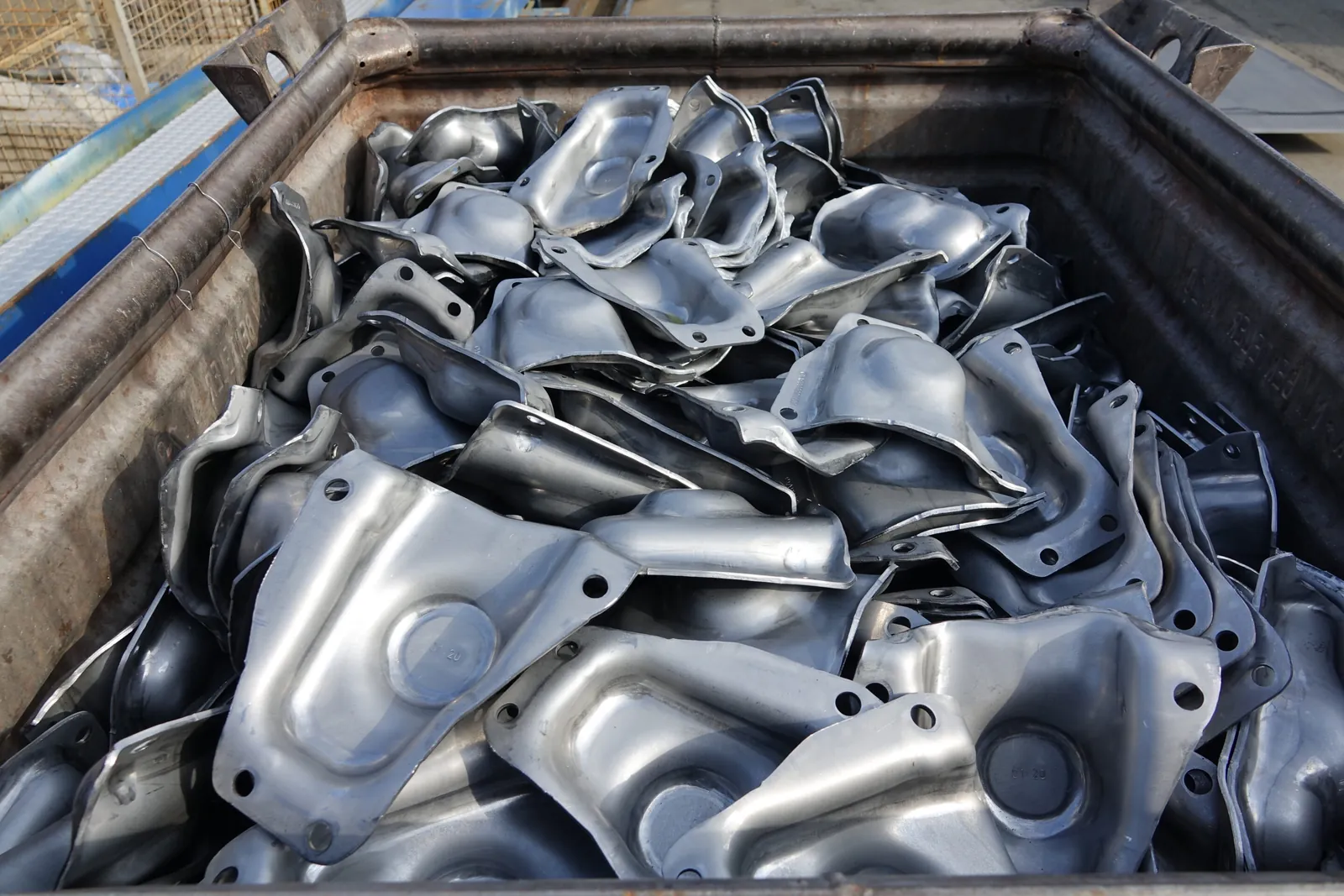
- Quantity: enough parts to fill a real bin, so that parts overlap and touch the walls the way they will in production.
Tell us how the parts are stored and how long the oil has been on them. Oil drains and changes the look of a part over hours.
2. Include the real load carrier
The bin is part of the optical problem: its floor and walls reflect too, and its geometry limits the gripper. Send the actual load carrier, ideally a used one, or at least photos and dimensions.
3. Define success before the test
Agree on measurable criteria up front, so that the result is a clear yes or no rather than an impression:
- Detection rate: the share of parts detected correctly per image, over full, half-full and nearly empty bins.
- Pose accuracy: derived from the gripper tolerance – how far may the computed pose deviate for the grasp to succeed?
- Cycle time: the time budget for image capture and evaluation within the robot cycle.
- Emptying rate: how many parts must be removed before an operator may intervene?
4. Describe the future cell
The same camera behaves differently at 600 mm and at 1,500 mm. Tell us:
- working distance and the size of the area to be covered,
- mounting: fixed above the bin or on the robot,
- ambient light: enclosed cell, skylights, other light sources nearby,
- robot and controller, and the interface you plan to use – for example OPC UA, PROFINET or Bosch Rexroth ctrlX,
- gripper principle and, if available, a CAD model of the gripper.
A CAD model of the part helps but is not required. LumiScan VGR can work CAD-based; LumiScan VGR Lite and LumiScan AI Object Matching work with AI detection trained on images of the parts.
5. Show the current process
A short video of how the parts are handled today – by hand or by an existing cell – often answers more questions than a long specification: how the bins arrive, how parts lie, what happens to rejects.
What you get back
From a feasibility test you should receive:
- images and point clouds of your parts under realistic conditions,
- an assessment against the agreed criteria, including the difficult cases,
- a recommendation for camera position, lighting and the LumiScan apps,
- and, if the parts are not a good fit for light field, a clear statement saying so.
Who does what
HD Vision Systems supplies components: the light-field camera LumiScan X, lighting hardware and the LumiScan software. The robot cell is built by your automation supplier or machine builder – or by one of our integration partners. A feasibility study with your parts is something we carry out on request; get in touch to announce your samples.
Which apps fit your task?
The solution finder asks a few questions about your application and prepares an enquiry with the right combination of LumiScan apps.
Frequently asked questions
How many sample parts should I send?
Enough to fill a real bin the way it will be filled in production, plus the worst cases: the oiliest batch, the darkest and the shiniest finish, every variant. A handful of parts only shows how a single part looks, not how a full bin behaves.
Do I have to send a CAD model?
No. A CAD model of the part helps, but it is not required: LumiScan VGR Lite and LumiScan AI Object Matching work with AI detection trained on images of the parts. A CAD model of the gripper is useful for checking paths for collisions.
What happens if light field turns out not to be the right fit?
Then we say so clearly, based on the images and point clouds of your parts – and where possible we name the approach that suits the task better. A clear no is a useful result of a feasibility test, too.
Who builds the cell after a successful test?
Your automation supplier or machine builder, or one of our integration partners. HD Vision Systems supplies the components: the LumiScan X light-field camera, lighting hardware and the LumiScan software.
How do I get a feasibility study?
Contact us with a short description of the task and announce your samples. We carry out feasibility studies on request and agree on the scope and the success criteria with you beforehand.

PD Dr. Christoph Garbe
Christoph Garbe co-founded HD Vision Systems in 2017 and leads the company. As a Privatdozent (associate professor) at Heidelberg University (IWR), he heads a research group for image processing.