







HD Vision Systems
← All Solution Sets

LUMISCAN / APPLICATION OVERVIEW

Machine Tending

CNC · Foundry

Guide the loading and unloading of workpieces between the material supply and a machine.

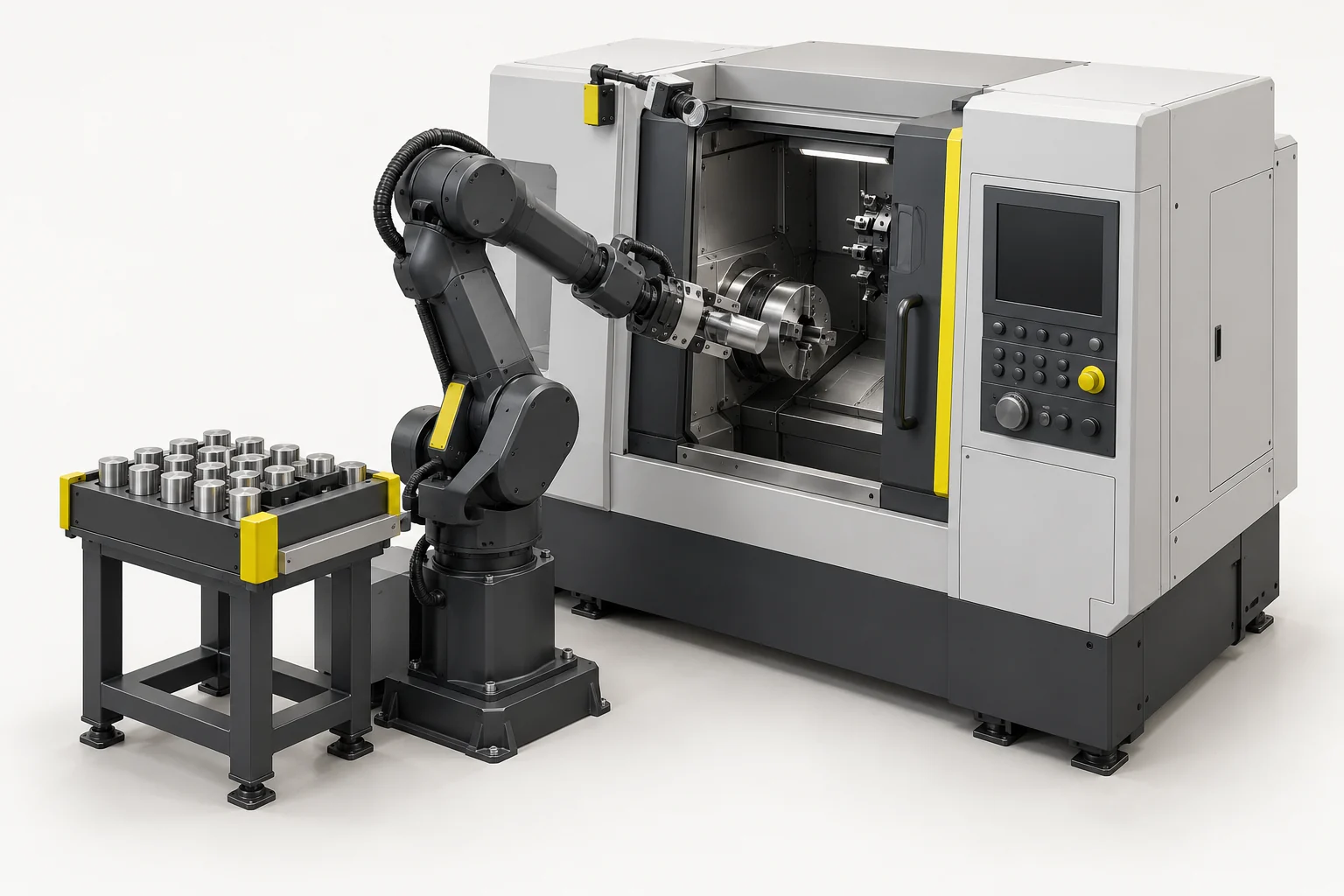
Load blanks and unload finished parts at CNC machines, presses or test stations. Vision locates parts in drawers, trays or bins, reducing the need for precise pre-positioning. Handling is coordinated with the machine signals and required placement accuracy.

Get a Quote ↓
Machine Tending in motion
Loading 3D…

LumiScan Advantages

  • < 1 s Path planning for bumper inspection

    In one bumper inspection application, LumiScan VGR calculated the robot path in under a second. Calculation time depends on the task.

  • 20 min Our fastest application setup

    We configured an application in 20 minutes using ready-made LumiScan apps.

  • ROI Lower upfront costs

    Reuse existing hardware and license only the apps you need. This can shorten payback compared with buying an entirely new cell.

  • 100+ Compatible sensor models

    Choose the sensor that suits your parts, or keep using compatible equipment already in your cell.

  • 30 years Of machine vision engineering experience

    Work one-to-one with our engineers to select the sensor, lighting and inspection sequence for your part.

  • One-Time Installation for multiple tasks

    Add compatible apps to the same LumiScan installation as your cell takes on new tasks. License the apps you add.

  • German Innovation Award 2019
  • inVISION Top Innovation 2020
  • VISION Start-up 2020
  • 100 Orte für Industrie 4.0
  • Startup the Future
  • DeepTech4Good
  • KI-Innovationswettbewerb
  • NVIDIA Inception

Application video · Böhmer

Prepare the pick with LumiScan VGR

See how LumiScan VGR locates metal parts in a bin and guides an ABB robot to pick them. This Böhmer recording illustrates the vision-guided picking step that supplies parts to a downstream process.

Böhmer application video: part recognition, grasp planning and robotic bin picking.

Solution packages

Load and unload CNC machines, presses or test stations using measured part positions instead of precise pre-positioning. Match vision to the drawer, tray or bin supply and the machine handover.

HD Vision Systems
LumiScan X
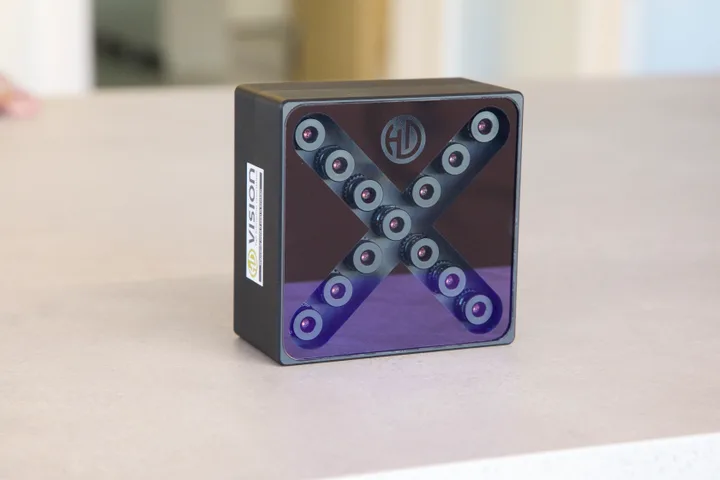
LumiScan X light-field camera

Package 01

LumiScan X + LumiScan VGR

Locate the taught workpiece in 3D and relate its pose to the robot through hand–eye calibration. The cell controller coordinates handling with machine readiness and seating checks.

Suitable workpieces
Workpieces in drawers, trays or bins before CNC, press or test-station loading and unloading.
Software & role
LumiScan VGR for workpiece location and grip planning; VGR Engineering for the workpiece and robot setup.
Technical configuration
Sensor model
LumiScan X · light field

Working volume, mounting and calibration are specified for the cell.

Software modules
LumiScan VGR (CAD) + VGR Engineering

Selected software versions and licence quantities are specified in the quote.

Camera interface / driver
Ethernet

Camera and VGR software versions are confirmed together.

Compute / processing unit
Industrial PC · Windows 11 · NVIDIA GPU
Robot / cell interface
PROFINET or OPC UA
Application configuration
LumiScan VGR Engineering

Workpiece model, grip points, calibration and the robot collision model are configured for the task.

Calibration
Hand–eye calibration

Camera, robot and loading / seating frames are calibrated and checked together.

Licences & purchase
Engineering across projects + runtime licences

Buy directly from HD Vision Systems. Runtime licensing depends on the apps used. Modules, quantities, term and activation are specified in the quote.

Select this set

Sensor images show the named devices or family examples.

Software matched to the task
The shown set uses LumiScan X with CAD-based LumiScan VGR. VGR Lite, another 2D / 3D camera or an edge / ctrlX processing route can be assessed for the task; validate the complete sensor, software and control combination before selection.
Application limits
Define part presentation, gripper access, machine opening and seating tolerance. Oil, chips, occlusion, reflective surfaces and varying part orientation can change the vision or handling strategy. Machine readiness, doors, clamps and safe sequencing remain part of cell integration.

From selection to delivery

Request a configuration
  1. Share your task

    Provide sample parts or images, the process and existing equipment.

  2. Define the setup

    Agree the sensor, processing unit, interfaces and test criteria.

  3. Review the quote

    Confirm software licences, hardware and the agreed engineering scope.

  4. Integrate & verify

    Set up the application, test the agreed sequence and document the handover.

Licences & delivery scope

Buy engineering and runtime licences and vision hardware directly from HD Vision Systems, with training and support. Engineering is used across projects; runtime licence quantities depend on the selected apps and configuration. The quote lists those quantities, software and hardware, plus the agreed integration and support scope and any customer-supplied components.

To specify in the quote: Licence term and activation, exact hardware / OPU model, delivery date, commissioning and training scope.

For the application trial

Define the supply arrangement, gripper access, machine loading position and seating tolerance before the application trial.

Package configuration

Choose your setup

Locate the workpiece so the robot can load or unload the machine.

Set 01 · LumiScan X + LumiScan VGR

Vision softwareLumiScan VGR
LumiScan

We check your selection against your parts and confirm models, drivers, licences and scope in the quote.

Get a Quote Opens the enquiry form with your selections.
LumiScan software & algorithms

How does a measured part become a machine-loading target?

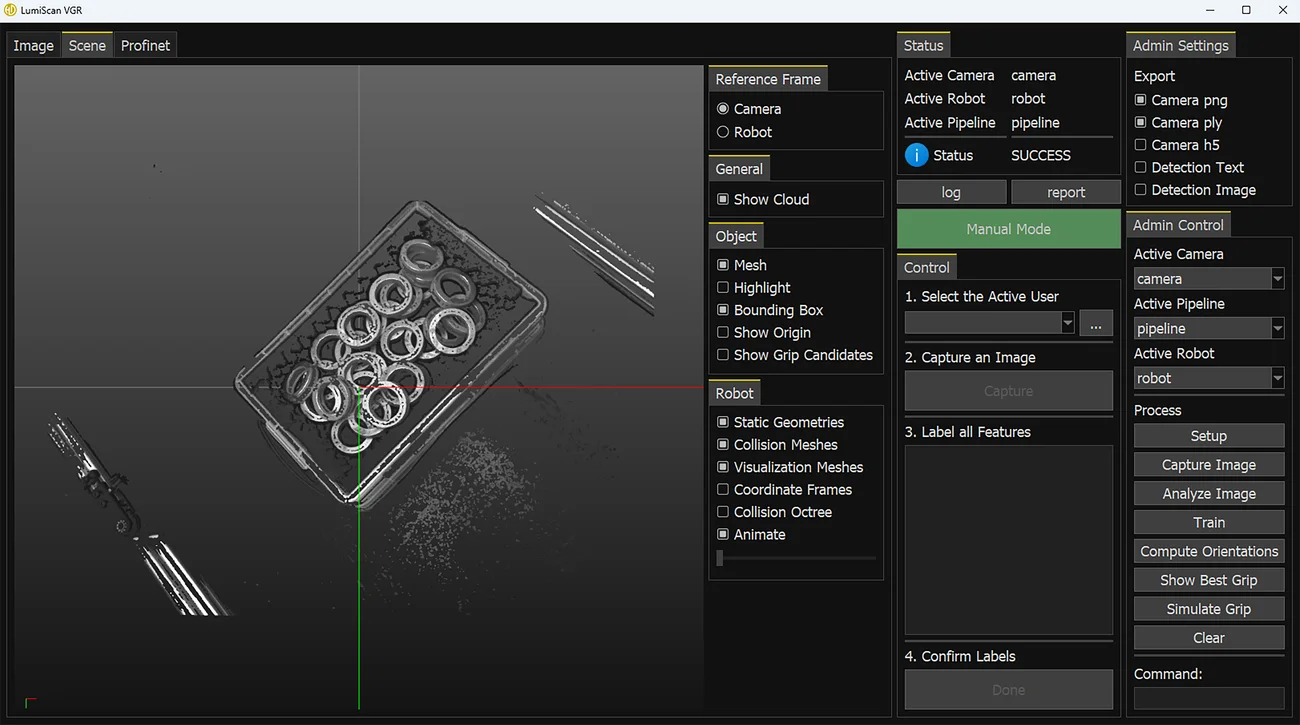
Example VGR engineering scene with the measured parts and the robot setup controls. Enlarge image
  1. Input

    Teach the workpiece model and the grasp, then capture the parts at the supply station.

  2. Algorithm

    VGR matches the workpiece in 3D. Hand–eye calibration relates the measured pose to the robot base.

  3. Output

    The cell controller coordinates the pick with machine readiness and seating checks.

LumiScan VGR Engineering

THE TASK IN CONTEXT

From the workpiece to the next process.

  1. 01

    Locate the workpiece

    Define the supply position and the visual information needed for reliable handling.

  2. 02

    Coordinate with the machine

    Agree the ready signals, access conditions and loading or unloading sequence.

  3. 03

    Confirm and continue

    Define seating, output placement and the response to an interrupted cycle.

APPLICATION REVIEW

Start with your parts and process.

Camera, computing platform, robot and tooling are selected around the application. Confirm the software modules, interfaces and acceptance criteria for the intended configuration.

Test it with your parts at LumiScan Labs in Heidelberg →

Useful inputs for a first discussion

  • Workpieces, surfaces and input/output presentation
  • Machine access, fixture geometry and gripper requirements
  • Machine signals, complete cycle target and recovery procedure

This overview describes the application. Performance and delivery scope are established during project review.

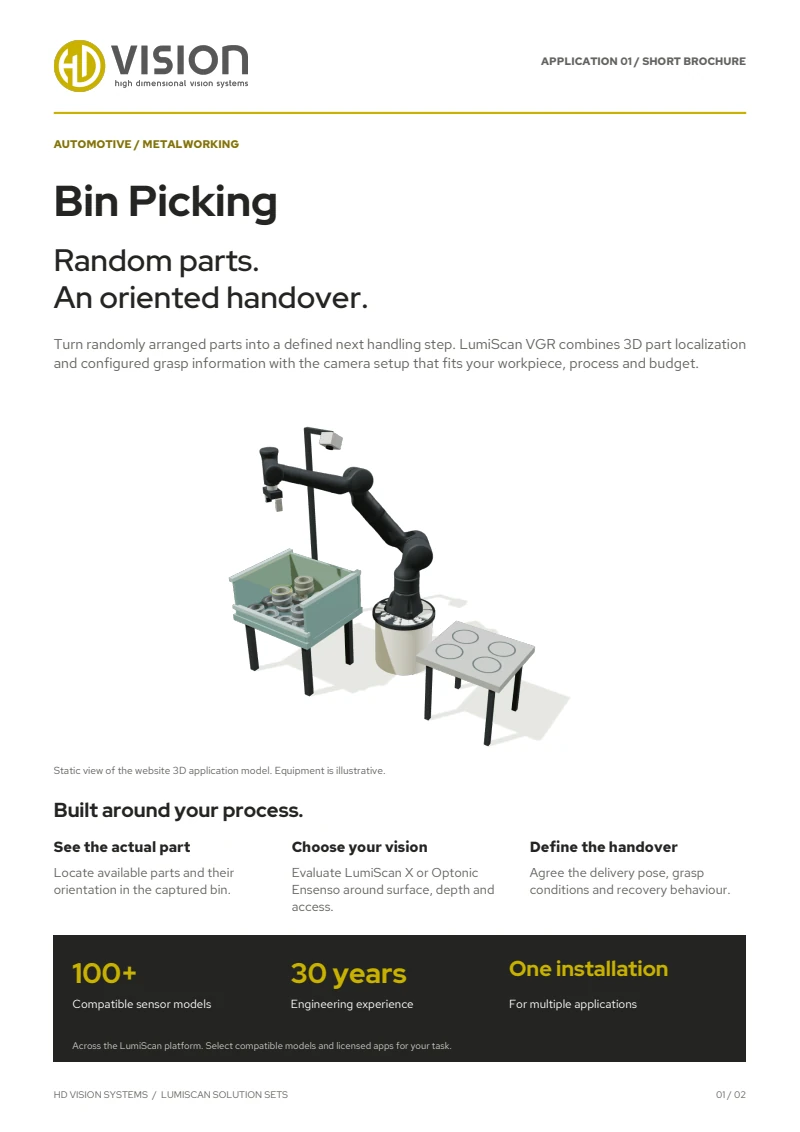
First page of the English LumiScan Solution Sets brochure, featuring the Bin Picking application

TAKE LUMISCAN WITH YOU

Six applications. One brochure.

From Bin Picking to Machine Tending: explore our six LumiScan Solution Sets and the vision behind each application.

Free · We’ll email you the download link.

LUMISCAN SOLUTION SETS

Your LumiScan brochure

An overview of all six applications in one English PDF. We’ll email you the download link.

We’ll email you a download link that is valid for seven days. We use your address only for this; you won’t be subscribed to any newsletter. Privacy details

Frequently asked questions

Which machines can be loaded and unloaded?

CNC machines, presses and test stations: the robot loads blanks and unloads finished parts. Vision locates the parts in drawers, trays or bins.

Do parts have to be pre-positioned precisely?

Much less than without vision. LumiScan locates the taught workpiece in 3D and relates its pose to the robot through hand–eye calibration; the cell controller coordinates handling with machine readiness and seating checks.

Which hardware does the solution set use?

Set 01 combines the LumiScan X light-field camera with LumiScan VGR – suited to metallic and glossy workpieces.

Can we test with our own parts?

Yes. Send us sample parts or images and we run an application test at LumiScan Labs in Heidelberg. Together we define the configuration and the acceptance criteria before you invest.

YOUR ENQUIRY

Let’s talk about your application.

A few details are enough – we get back to you within one business day. Prefer to talk? +49 6221 6721900

Up to 3 files, 10 MB in total · JPG, PNG, PDF, STEP

We use your details to answer your enquiry. See the privacy notice.