





HD Vision Systems

BIN PICKING / AUTOMOTIVE & METALWORKING

LumiScan
Bin Picking.

Demanding parts.
Your choice of vision hardware.

Pick parts from a bin or box and feed them into the next production step. Choose a complete vision set around your workpieces, handling sequence and budget.

BIN PICKING IN MOTION
Loading 3D…

LumiScan Advantages

  • < 1 s Path planning for bumper inspection

    In one bumper inspection application, LumiScan VGR calculated the robot path in under a second. Calculation time depends on the task.

  • 20 min Our fastest application setup

    We configured an application in 20 minutes using ready-made LumiScan apps.

  • ROI Lower upfront costs

    Reuse existing hardware and license only the apps you need. This can shorten payback compared with buying an entirely new cell.

  • 100+ Compatible sensor models

    Choose the sensor that suits your parts, or keep using compatible equipment already in your cell.

  • 30 years Of machine vision engineering experience

    Work one-to-one with our engineers to select the sensor, lighting and inspection sequence for your part.

  • One-Time Installation for multiple tasks

    Add compatible apps to the same LumiScan installation as your cell takes on new tasks. License the apps you add.

  • German Innovation Award 2019
  • inVISION Top Innovation 2020
  • VISION Start-up 2020
  • 100 Orte für Industrie 4.0
  • Startup the Future
  • DeepTech4Good
  • KI-Innovationswettbewerb
  • NVIDIA Inception

Customer application · BENTELER Automotive

Picking oily steel parts from mixed bins

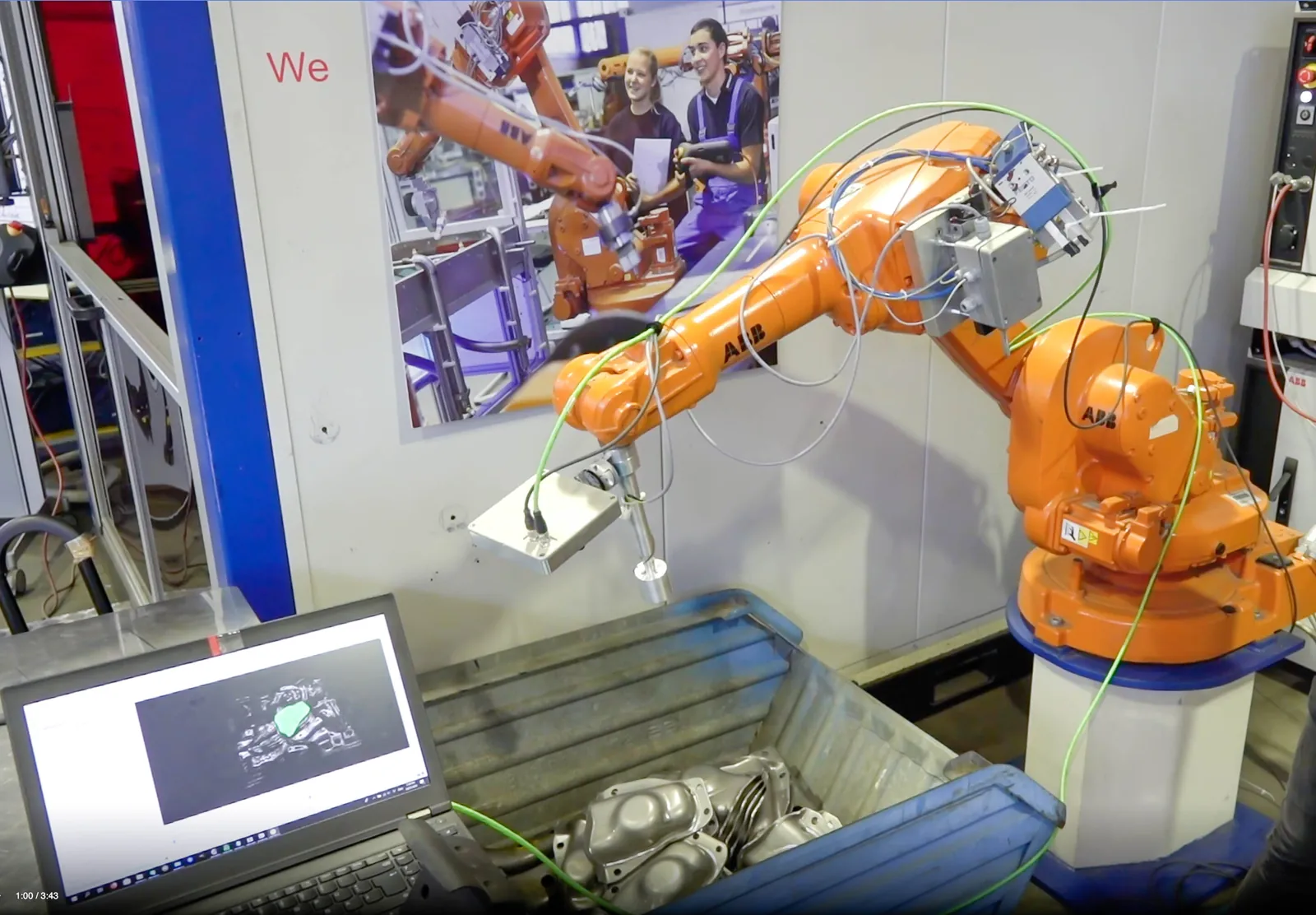
At BENTELER’s Paderborn test centre, a robot-mounted LumiScan X scanned unsorted steel parts. LumiScan BinPick located the parts and supplied grasp paths to the ABB controller for oriented placement.

Read the BENTELER case study
BENTELER test setup with LumiScan BinPick, 2021.

Solution packages

Pick parts from a bin or box and hand them to the next process. Choose between two vision solution sets, each specifying the 3D sensor, CAD-based LumiScan VGR, edge / industrial PC, robot interfaces and licence scope.

HD Vision Systems
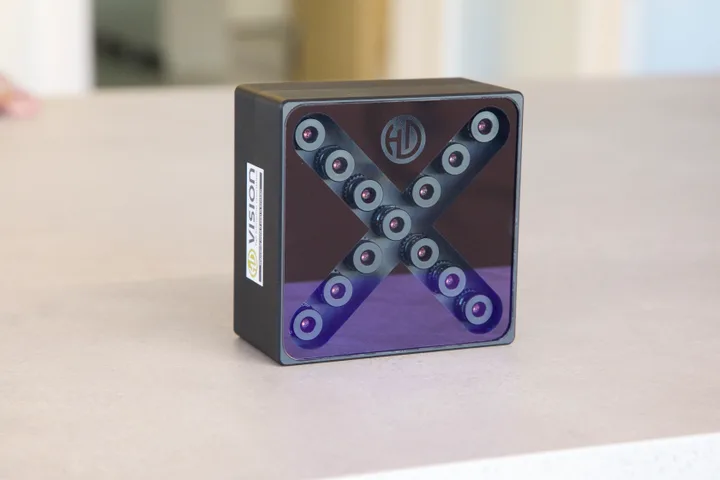
LumiScan X
LumiScan X light-field camera
  1. 01 / CaptureLumiScan X
  2. 02 / Process, recognise & planLumiScan VGRRunning on an industrial PC · Windows 11 · NVIDIA GPU
  3. 03 / Connect the cellPROFINET / OPC UA

Package 01

LumiScan X + LumiScan VGR

Capture the bin from multiple viewpoints. VGR locates parts in 3D, evaluates grip points and plans the robot path around the configured collision model.

Suitable workpieces
Complex, overlapping parts and reflective metal surfaces.
Software & role
CAD-based LumiScan VGR for 3D part matching, grasp selection and collision-free path planning; VGR Engineering for the CAD model, grip points and setup.
Technical configuration
Sensor model
LumiScan X · light field

Working volume, mounting and calibration are specified for the cell.

Software modules
LumiScan VGR (CAD) + VGR Engineering

Selected software versions and licence quantities are specified in the quote.

Camera interface / driver
Ethernet

Camera and VGR software versions are confirmed together.

Compute / processing unit
Industrial PC · Windows 11 · NVIDIA GPU
Robot / cell interface
PROFINET or OPC UA
Application configuration
LumiScan VGR Engineering

Workpiece model, grip points, calibration and the robot collision model are configured for the task.

Path planning
LumiScan VGR · collision-free path planning

Requires configured and validated robot, gripper, workpiece and cell collision models. Reachability, bin clearance and handover motion are tested in the integrated cell.

Licences & purchase
Engineering across projects + runtime licences

Buy directly from HD Vision Systems. Runtime licensing depends on the apps used. Modules, quantities, term and activation are specified in the quote.

Select this set
optonic
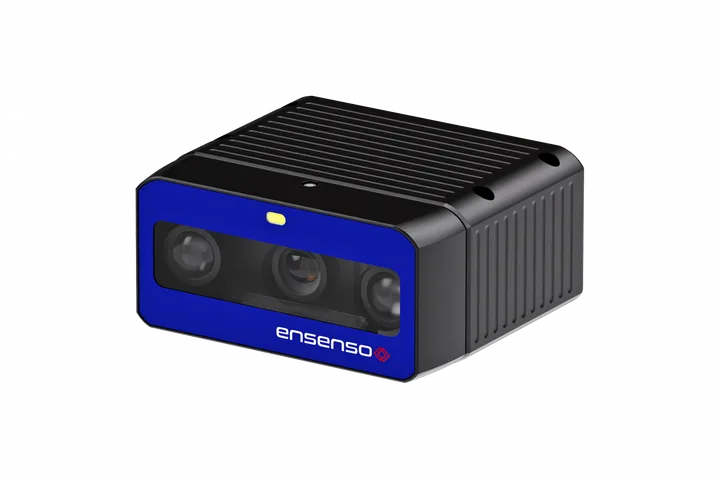
Optonic Ensenso
Ensenso B-series shown as an example. We check the model and driver for your bin.
  1. 01 / CaptureOptonic Ensenso
  2. 02 / Process, recognise & planLumiScan VGR

Package 02

Optonic Ensenso + LumiScan VGR

Evaluate an Ensenso camera against the real workpieces and budget. Confirm the sensor, VGR version and integration as one configuration.

Suitable workpieces
Parts for which a stereo-camera configuration meets the required detail, surface response and bin volume.
Software & role
CAD-based LumiScan VGR for part matching, grasp selection and path planning. The Ensenso model, driver / SDK, VGR version and engineering scope are confirmed together during assessment.
Technical configuration
Sensor model
Optonic Ensenso · stereo

The B-series image is an example.

Software modules
LumiScan VGR (CAD)

Confirm engineering modules, software versions and licence quantities for this configuration.

Path planning
LumiScan VGR · collision-free path planning

Requires configured and validated robot, gripper, workpiece and cell collision models. Reachability, bin clearance and handover motion are tested in the integrated cell.

Licences & purchase
Engineering across projects + runtime licences

Buy directly from HD Vision Systems. Runtime licensing depends on the apps used. Modules, quantities, term and activation are specified in the quote.

Select this set

Sensor images show the named devices or family examples.

Software matched to the task
Both sets use CAD-based LumiScan VGR as their baseline. AI-based LumiScan VGR Lite is an alternative to assess for a specific task; the camera, software version, compute platform and supported functions must be validated together.
Application limits
Test the actual surfaces and poses: bright reflections, occlusion, interlocked parts and upside-down presentation can affect capture or gripping. Define accessible grip surfaces and any turning or regripping step; confirm the usable part range, cycle time and handover accuracy in the application trial.

From selection to delivery

Request a configuration
  1. Share your task

    Provide sample parts or images, the process and existing equipment.

  2. Define the setup

    Agree the sensor, processing unit, interfaces and test criteria.

  3. Review the quote

    Confirm software licences, hardware and the agreed engineering scope.

  4. Integrate & verify

    Set up the application, test the agreed sequence and document the handover.

Licences & delivery scope

Buy engineering and runtime licences and vision hardware directly from HD Vision Systems, with training and support. Engineering is used across projects; runtime licence quantities depend on the selected apps and configuration. The quote lists those quantities, software and hardware, plus the agreed integration and support scope and any customer-supplied components.

To specify in the quote: Licence term and activation, exact hardware / OPU model, delivery date, commissioning and training scope.

For the application trial

Define representative workpieces, internal bin dimensions, surface and orientation limits, usable grips, handover position / rotation tolerance and the complete bin-to-next-process cycle before the application trial.

Package configuration

Choose your setup

Find accessible parts in a bin and guide their transfer to the next station.

Set 01 · LumiScan X + LumiScan VGR

Vision softwareLumiScan VGR
LumiScan

We check your selection against your parts and confirm models, drivers, licences and scope in the quote.

Want to reuse existing hardware? Include the model in your task description.

Get a Quote Opens the enquiry form with your selections.

HD VISION SOFTWARE

The vision behind the pick.

LumiScan
LumiScan VGR app icon

LumiScan VGR

Turn the captured scene into part positions and orientations. Configure detection and grasp information around the workpiece and the next handling step.

Engineering & calibration
Set up cameras, object detection, robot and gripper geometry. Relate camera coordinates to the robot.
Vision during operation
Acquire the scene, localize parts and provide configured results to the cell controls.
Explore the picking workflow ↓
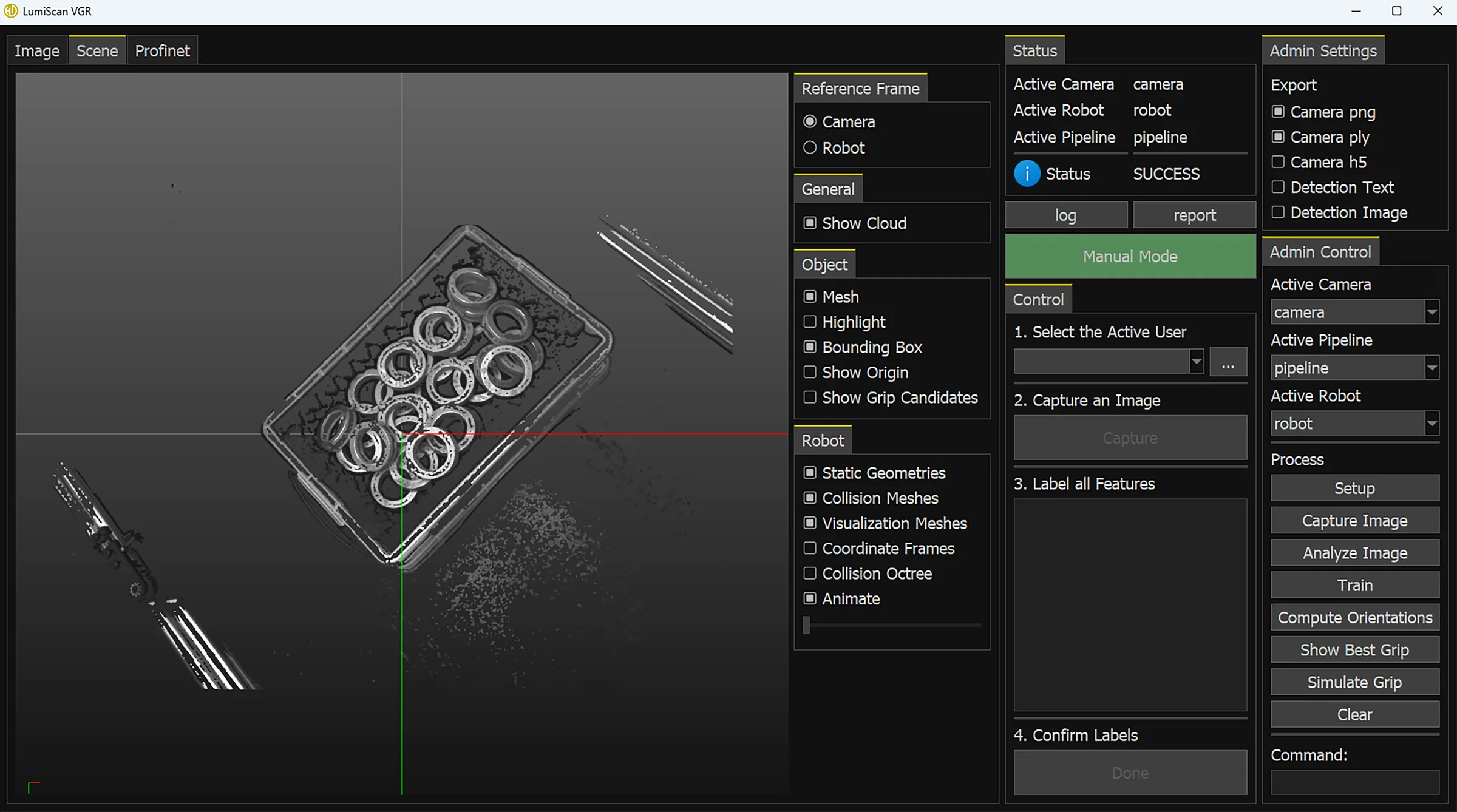
LumiScan VGR interface showing ring-shaped parts in a bin, a 3D point cloud and robot-guidance settings
LumiScan VGR interface · Inspect the scene and configured robot-guidance settings. View full size ↗
Clear roles. A defined handover.

Vision provides the localization and configured grasp information. The robot and cell controls execute the handling sequence, coordinate the next machine and manage process feedback.

FROM THE BIN TO THE NEXT PROCESS

See how a pick comes together.

Explore the four stages and the handover between vision, robot and cell controls.

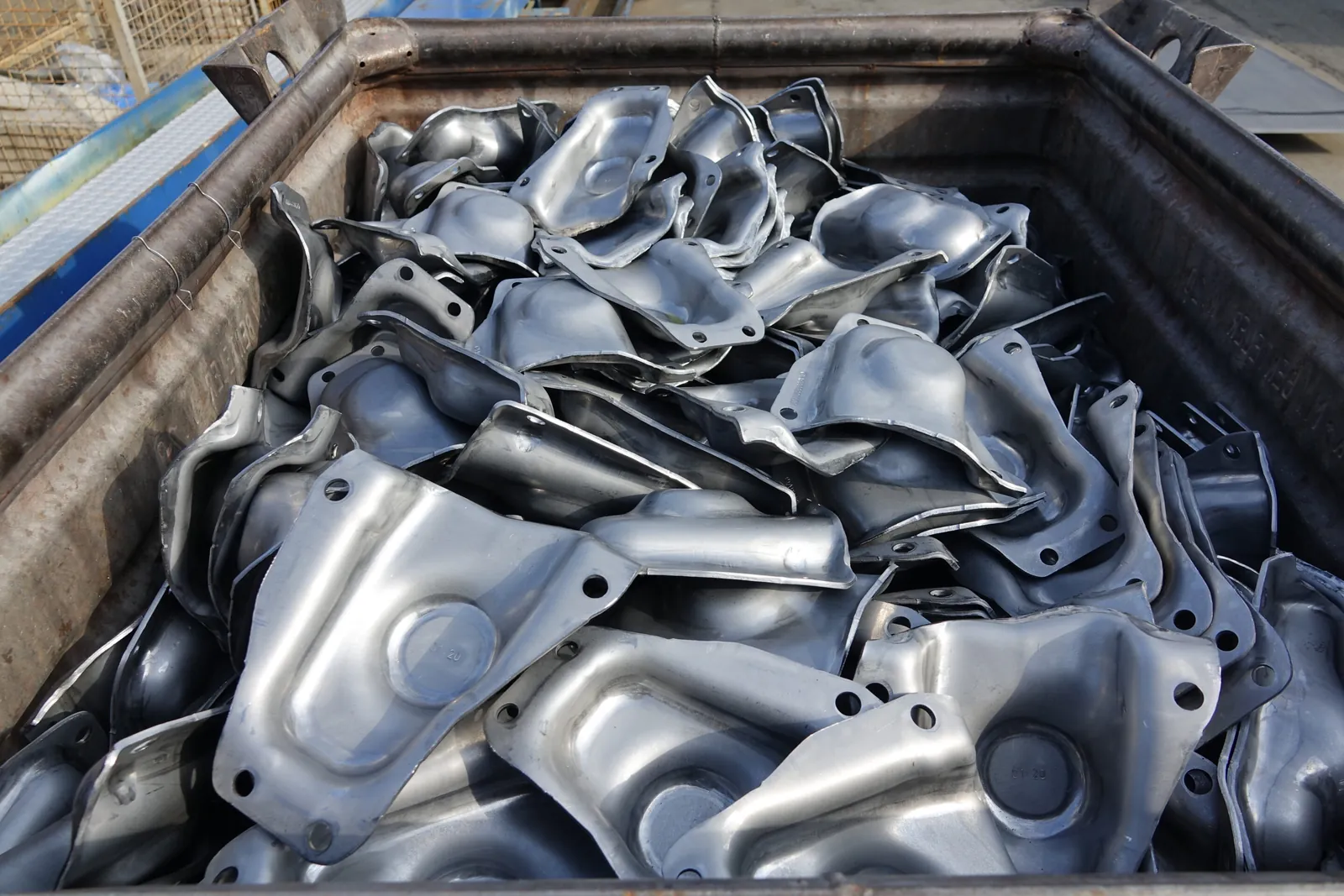
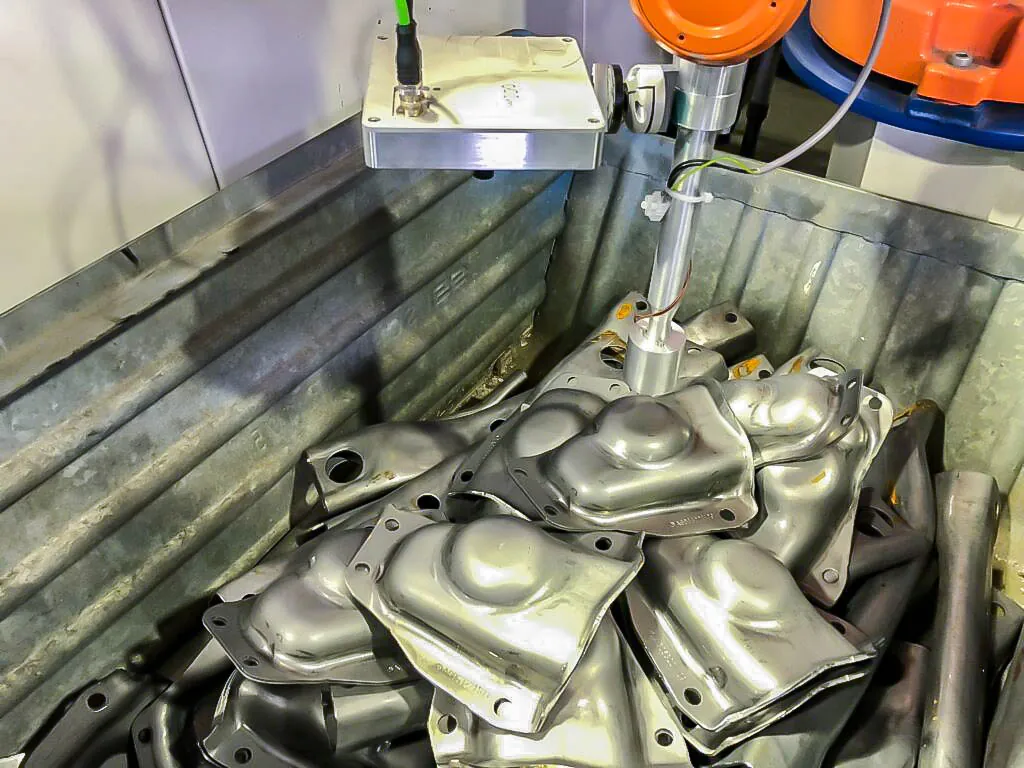
Randomly arranged reflective steel components in a container at BENTELER.
Application reference · BENTELER steel components, 2021
Capture the scene

Start with the actual bin.

Acquire the scene from the selected 3D camera. Mounting position, working distance and illumination are matched to the part surface and the bin.

Handover
3D scene data in a calibrated coordinate system

For a robot-mounted camera, the capture pose is part of the calibration and acquisition workflow.

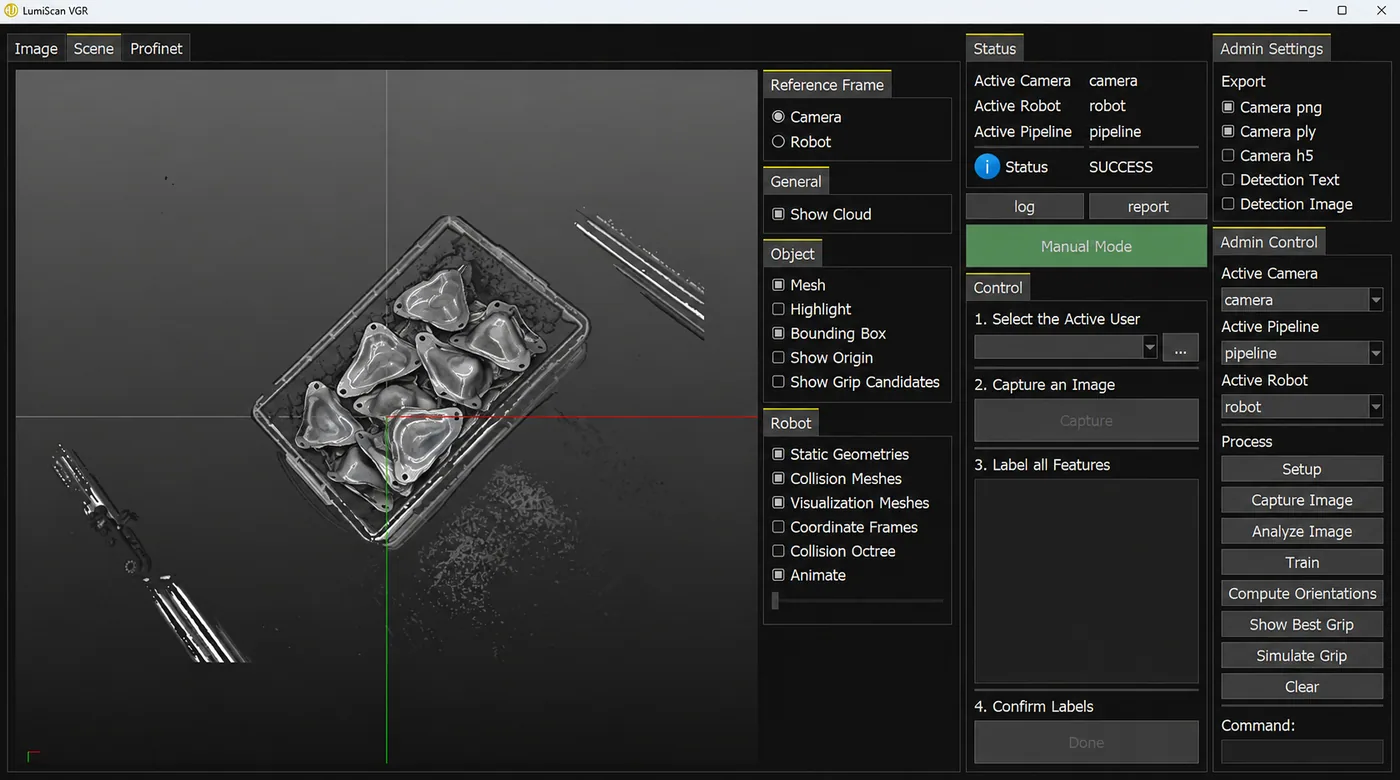
Illustrative LumiScan VGR interface with irregular stamped-steel components in the bin scene and controls for grasp candidates, meshes and coordinate frames.
LumiScan VGR interface · Illustrative scene with stamped-steel components
Locate the part

Turn the scene into a part pose.

LumiScan VGR locates the configured parts and determines their position and orientation. The detection method and grasp points follow the workpiece and application.

Handover
Part poses and configured grasp candidates

Review the point cloud, detected geometry and coordinate frames in the software interface.

Robot end effector approaching a reflective steel component inside the BENTELER bin-picking cell.
Application reference · BENTELER end effector, 2021
Evaluate the grasp

Consider the complete cell.

Part pose alone is not enough. The configured robot, gripper and bin geometry determine whether a candidate grasp and its approach can be used.

Handover
A grasp and approach within the configured scope

Collision checks depend on the models, planning settings and integration scope agreed for the cell.

Complete historical BENTELER bin-picking cell with an ABB robot, bin, vision hardware and operator display.
Application reference · BENTELER LumiScan BinPick cell, 2021
Pick & confirm

Hand over to robot control.

The robot controller executes movement; cell controls coordinate gripping, downstream handover and process feedback. Pick confirmation, another capture and recovery from an unsuccessful pick are defined during integration.

Handover
A confirmed handover and the next acquisition

Vision, robot control and gripping are validated together on representative parts and bin conditions.

HARDWARE & INTERFACES

A configuration you can integrate.

Specify the camera, computing platform, robot and interfaces together. Confirm alternative sensors against the intended software version.

LumiScan VGR + LumiScan X

The published VGR system requirements provide this starting configuration.

View system requirements ↗
Vision sensor
LumiScan X, connected via Ethernet
Vision computing
Windows 11 industrial PC with an NVIDIA GPU; sizing follows the selected workload
PLC communication
PROFINET or OPC UA; robot-controller integration is defined for the cell
Engineering
Camera and object configuration, robot/gripper models and hand–eye calibration
What changes with another camera?

Optonic Ensenso B57. Optonic shows how this stereo camera captures a 3D point cloud of screwdriver bits at close range.

For a bin of bits, we would check whether the top layer and the last part at the bottom are both visible from the planned mounting position. We would then verify the camera driver and LumiScan VGR version, calibrate the camera to the robot and test the pick positions with your gripper.

See Optonic’s B57 measurements ↗

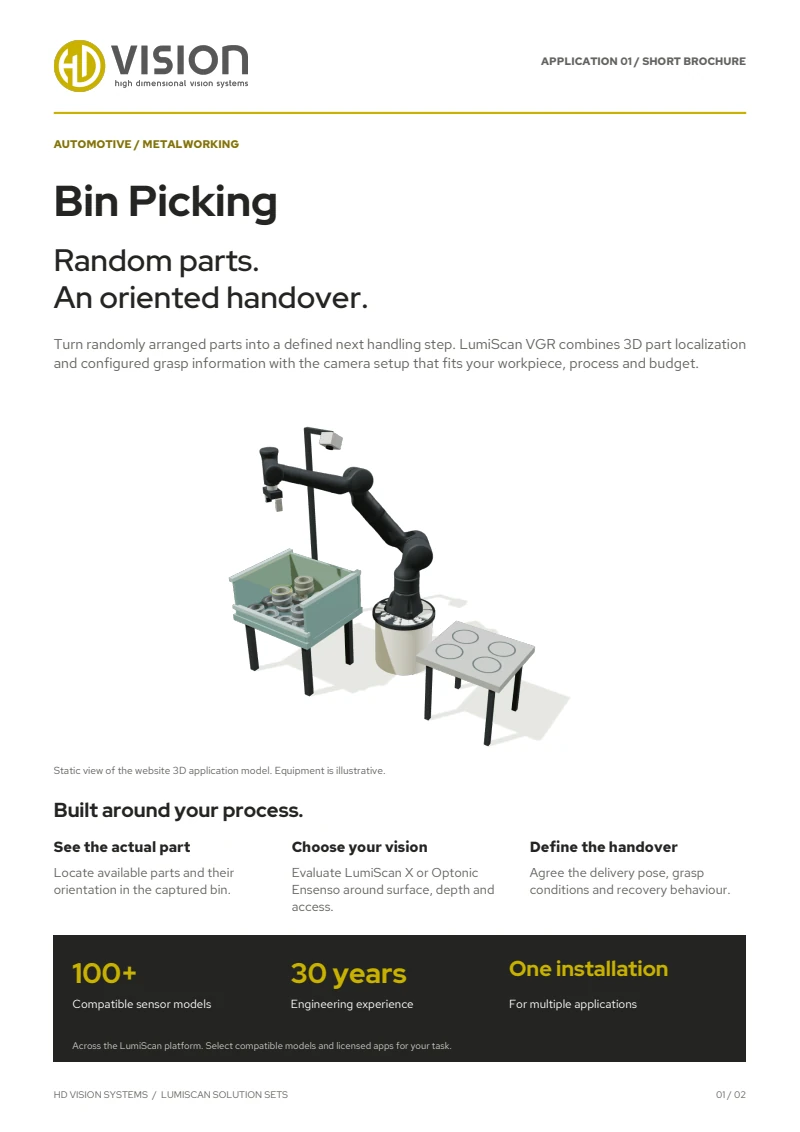
First page of the English LumiScan Solution Sets brochure, featuring the Bin Picking application

TAKE LUMISCAN WITH YOU

Six applications. One brochure.

From Bin Picking to Machine Tending: explore our six LumiScan Solution Sets and the vision behind each application.

Free · We’ll email you the download link.

LUMISCAN SOLUTION SETS

Your LumiScan brochure

An overview of all six applications in one English PDF. We’ll email you the download link.

We’ll email you a download link that is valid for seven days. We use your address only for this; you won’t be subscribed to any newsletter. Privacy details

Frequently asked questions

Can LumiScan pick shiny or oily metal parts from a bin?

Yes. Set 01 uses the LumiScan X light-field camera: 13 cameras expose at the same time, and the many viewpoints balance out reflections that fool a single view. LumiScan VGR then locates the parts in 3D, evaluates grip points and plans a collision-free robot path.

Do we need a CAD model of the part?

No. LumiScan VGR localizes parts by matching a 3D model or, for complex scenes, with machine learning. Which method fits is decided with your parts in the application test.

Which sensors and robots does the solution set support?

Two sets are available: LumiScan X with LumiScan VGR, or Optonic Ensenso with LumiScan VGR. VGR has ready-made interfaces for robots such as UR, KUKA and ABB and talks to the PLC over PROFINET or OPC UA. Compatible equipment already in your cell can be reused.

How fast is the path calculation?

In one bumper inspection application, LumiScan VGR calculated the robot path in under a second. The time depends on the task, the number of parts and the cell; we measure it with your parts.

Can we test with our own parts?

Yes. Send us sample parts or images and we run an application test at LumiScan Labs in Heidelberg. Together we define the configuration and the acceptance criteria before you invest.

YOUR PARTS. YOUR PROCESS.

Let’s find the right configuration.

Request a quote ↗Also explore Mixed Palletizing →

YOUR ENQUIRY

Let’s talk about your application.

A few details are enough – we get back to you within one business day. Prefer to talk? +49 6221 6721900

Up to 3 files, 10 MB in total · JPG, PNG, PDF, STEP

We use your details to answer your enquiry. See the privacy notice.