








HD Vision Systems

PALLETIZING / LOGISTICS & E-COMMERCE

LumiScan
Mixed Palletizing.

High-performance vision.
Your choice of hardware.

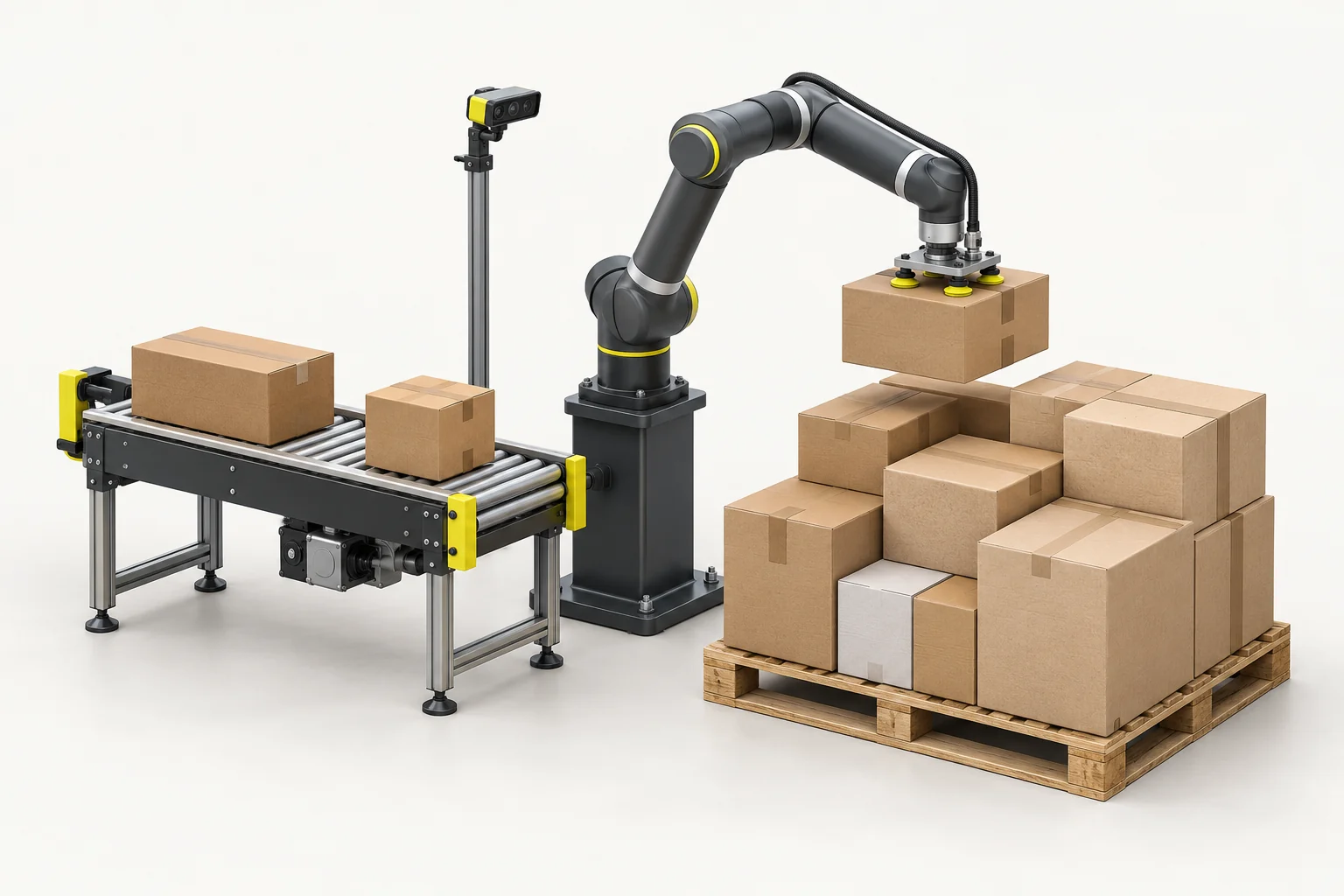
Build stable pallets from cartons of different sizes for intralogistics, fast-moving consumer goods and e-commerce. Combine pallet planning with vision-guided robot handling around your carton mix.

KASSOW ROBOTSMixed-carton handling
Loading 3D…

LumiScan Advantages

  • < 1 s Path planning for bumper inspection

    In one bumper inspection application, LumiScan VGR calculated the robot path in under a second. Calculation time depends on the task.

  • 20 min Our fastest application setup

    We configured an application in 20 minutes using ready-made LumiScan apps.

  • ROI Lower upfront costs

    Reuse existing hardware and license only the apps you need. This can shorten payback compared with buying an entirely new cell.

  • 100+ Compatible sensor models

    Choose the sensor that suits your parts, or keep using compatible equipment already in your cell.

  • 30 years Of machine vision engineering experience

    Work one-to-one with our engineers to select the sensor, lighting and inspection sequence for your part.

  • One-Time Installation for multiple tasks

    Add compatible apps to the same LumiScan installation as your cell takes on new tasks. License the apps you add.

  • German Innovation Award 2019
  • inVISION Top Innovation 2020
  • VISION Start-up 2020
  • 100 Orte für Industrie 4.0
  • Startup the Future
  • DeepTech4Good
  • KI-Innovationswettbewerb
  • NVIDIA Inception

Partner use case · Production logistics

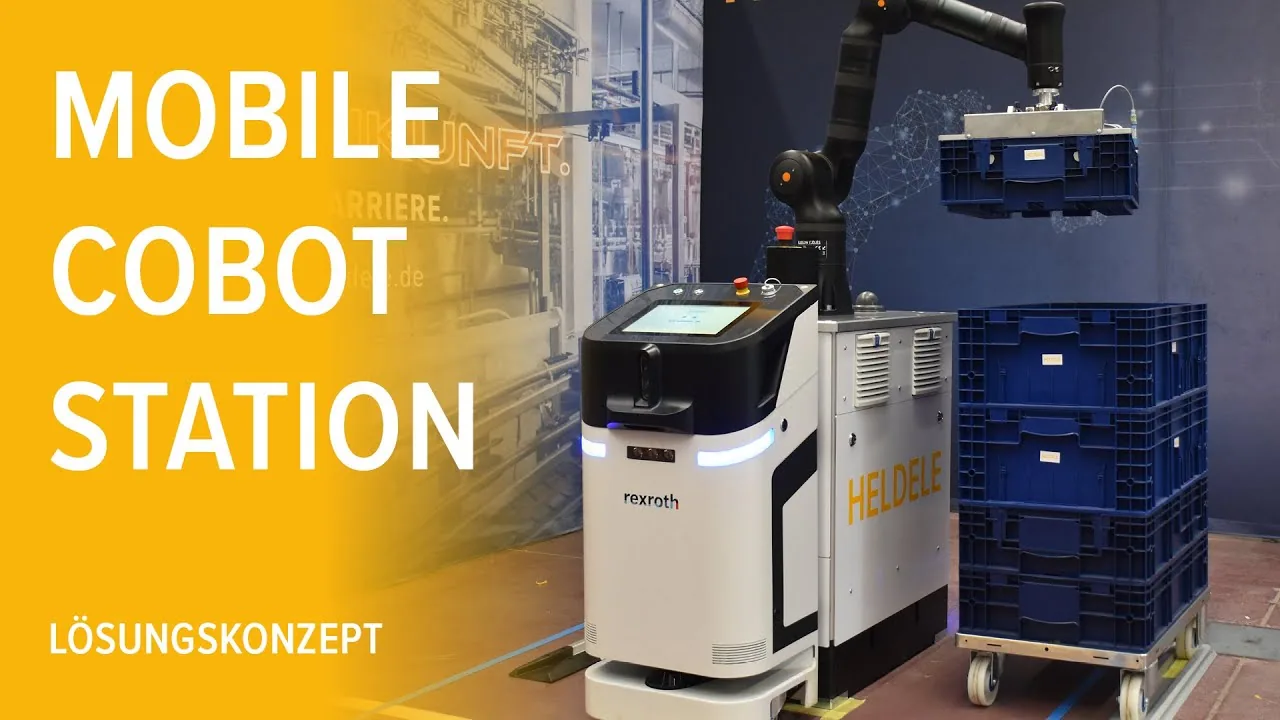
HELDELE’s Mobile Cobot Station

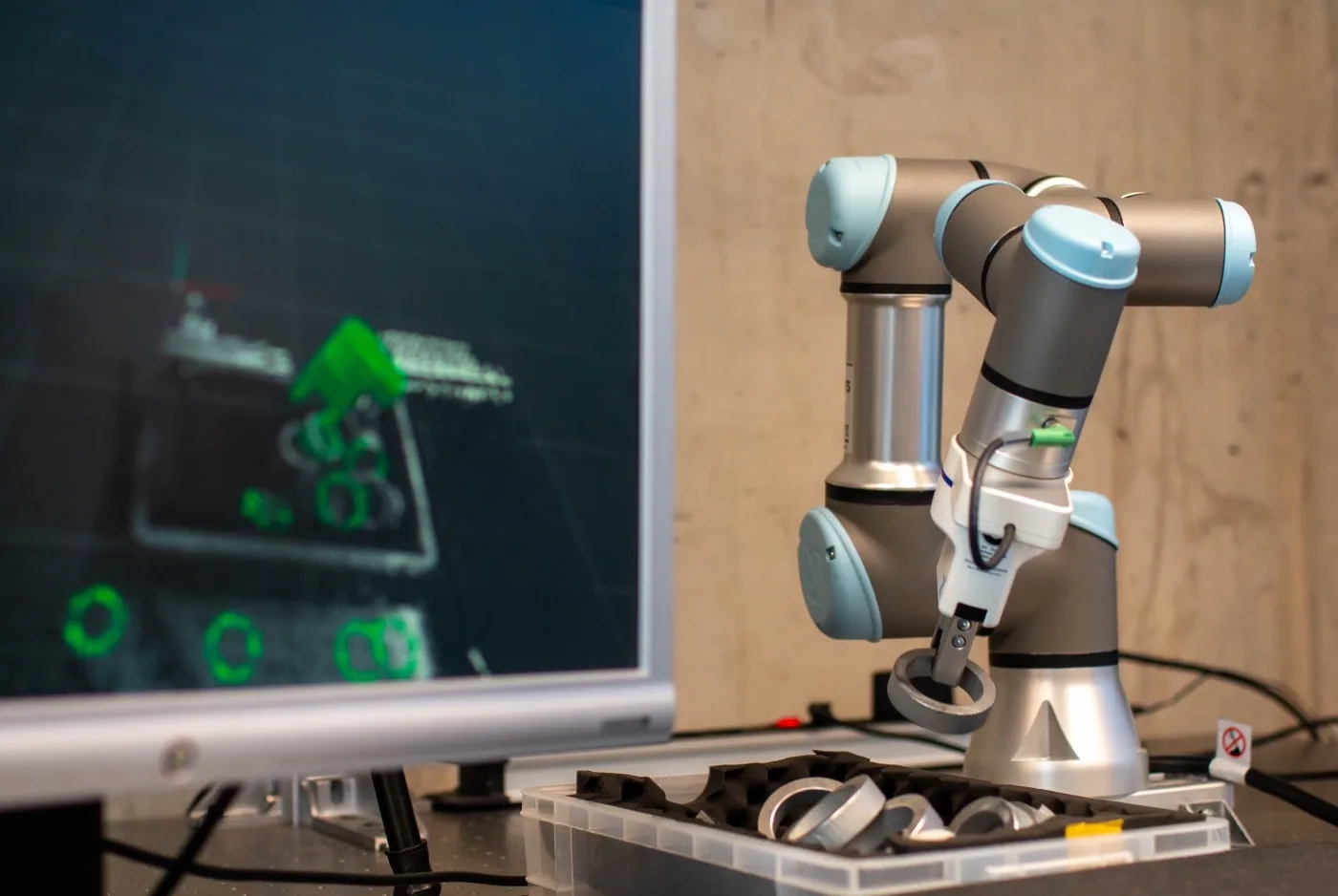
A seven-axis Kassow cobot picks up small load carriers with a gripper made for 600 × 400 mm containers. A Bosch Rexroth ActiveShuttle moves the station between workstations.

Read HELDELE’s project reference

By loading this video, you allow a connection to YouTube (Google). Your IP address and technical data may be sent to the provider and processed in the USA. Privacy details

Project and film by HELDELE Automation. The film shows mobile container handling. Watch on YouTube ↗

Solution packages

Build a stable pallet from cartons of different sizes for intralogistics, consumer goods and e-commerce. The planner defines the arrangement; the handling cell implements it. Initial customer commissioning is underway.

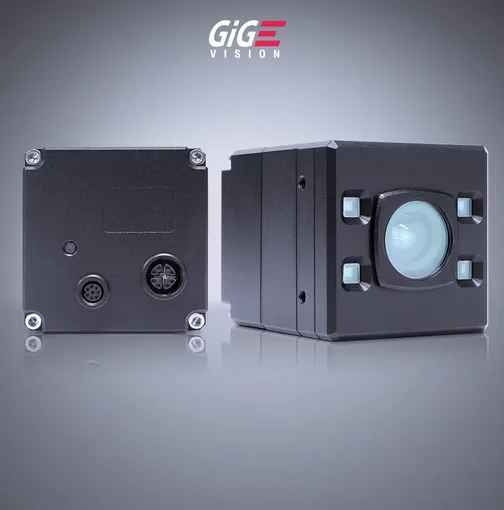
LUCID Vision Labs
LUCID Helios
Helios2 family example. The working volume determines the camera variant.

Package 01

LUCID Helios + LumiScan VGR Lite

LumiScan Mixed Palletizing Engineering calculates carton positions from dimensions, weights and planning rules. Review the result in 3D, then specify vision and robot handling for the cell.

Suitable workpieces
Mixed carton orders in intralogistics, consumer-goods distribution and e-commerce.
Software & role
LumiScan Mixed Palletizing Engineering for the packing plan, plus LumiScan VGR Lite for the selected visual-guidance task.
Technical configuration
Sensor model
LUCID Helios · ToF

Helios2 family shown as an example.

Software modules
Mixed Palletizing Engineering + LumiScan VGR Lite

Confirm planner / runtime versions and the chosen vision functions; app-specific licence quantities are quoted.

Planner availability
Initial customer commissioning

Request current availability directly from HD Vision Systems. The independent ctrlX Store listing, product name and release version are still to be confirmed.

Licences & purchase
Engineering across projects + runtime licences

Buy directly from HD Vision Systems. Runtime licensing depends on the apps used. Modules, quantities, term and activation are specified in the quote.

Select this set

Sensor images show the named devices or family examples.

Software matched to the task
LumiScan Mixed Palletizing Engineering plans the stack; LumiScan VGR Lite supports the agreed vision task. The shown LUCID ToF setup is the starting configuration. Other ToF or RealSense cameras and a ctrlX control route are candidates for application-specific validation.
Application limits
Agree carton materials, dimensions, weights, placement rules and stack-height tolerance. Stability depends on the real cartons, gripper, order sequence and pallet conditions; validate the physical stack and complete cycle, including gaps, damaged cartons or slippery packaging.

From selection to delivery

Request a configuration
  1. Share your task

    Provide sample parts or images, the process and existing equipment.

  2. Define the setup

    Agree the sensor, processing unit, interfaces and test criteria.

  3. Review the quote

    Confirm software licences, hardware and the agreed engineering scope.

  4. Integrate & verify

    Set up the application, test the agreed sequence and document the handover.

Licences & delivery scope

Buy engineering and runtime licences and vision hardware directly from HD Vision Systems, with training and support. Engineering is used across projects; runtime licence quantities depend on the selected apps and configuration. The quote lists those quantities, software and hardware, plus the agreed integration and support scope and any customer-supplied components.

To specify in the quote: Licence term and activation, exact hardware / OPU model, delivery date, commissioning and training scope.

For the application trial

Agree carton dimensions and weights, order mix, pallet limits and the handling sequence before testing the planned stack.

Package configuration

Choose your setup

Plan the arrangement of mixed cartons, then evaluate the vision setup for placement.

Set 01 · LUCID Helios + LumiScan VGR Lite

Vision softwareLumiScan Mixed Palletizing Engineering + LumiScan VGR Lite
LumiScan

We check your selection against your parts and confirm models, drivers, licences and scope in the quote.

Get a Quote Opens the enquiry form with your selections.
LumiScan software & algorithms

Will this order fit on the pallet?

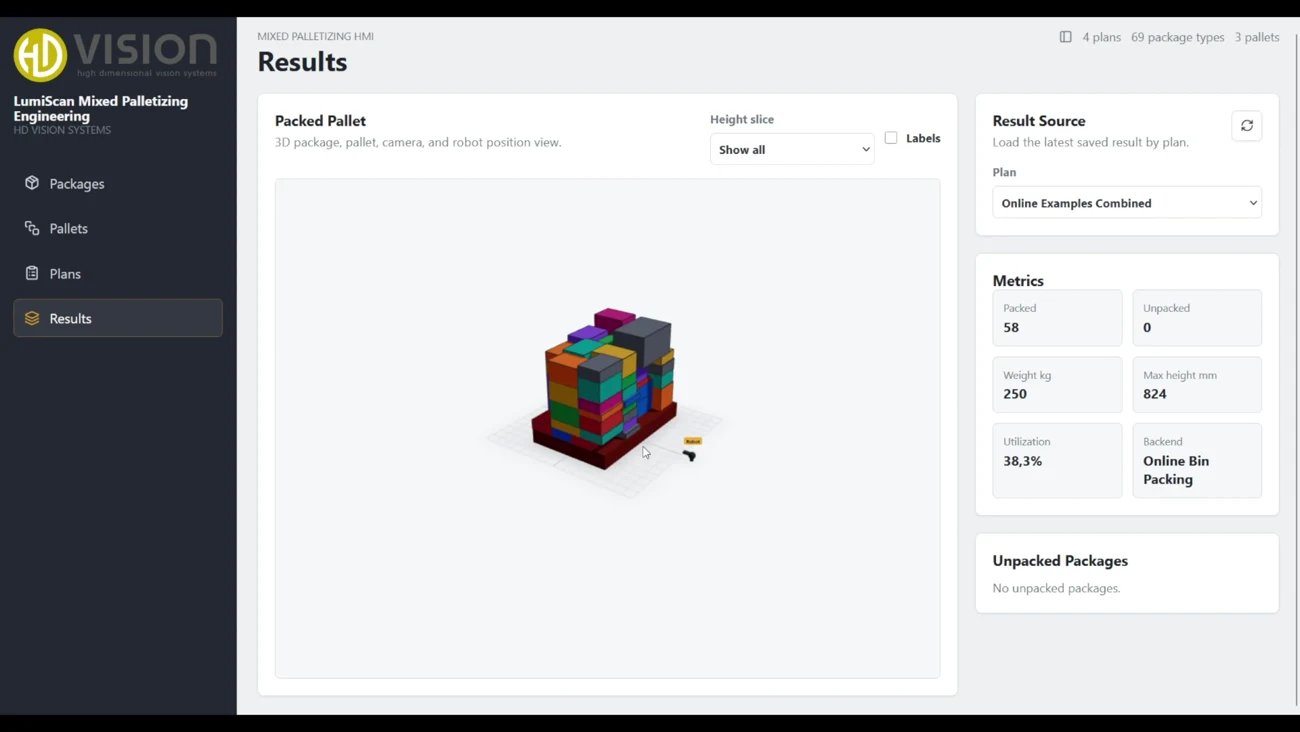
The Results view shows the calculated stack in the LumiScan planning demo. Enlarge image
  1. Input

    Enter the carton sizes, quantities, pallet footprint and stacking limits.

  2. Algorithm

    The planner calculates carton positions within those constraints. Inspect individual layers in the 3D result.

  3. Output

    Review which cartons fit and which remain unpacked before you set up the handling cell.

LumiScan Mixed Palletizing Engineering

HD VISION SOFTWARE

Plan the pallet.
Guide the robot.

Two distinct software roles: calculate the packing arrangement, then add visual guidance where the handling process needs it.

PALLET PLANNING

LumiScan Mixed
Palletizing Engineering

Define cartons and pallets, apply stacking limits and calculate a packing pattern. Inspect placements and packing statistics in the 3D result view.

Explore the planning workflow ↓

VISION-GUIDED ROBOTICS

LumiScan VGR Lite

Configure visual robot guidance with the camera and computing hardware that fit the application. Connecting the calculated pallet plan to the handling process is a separate integration step.

Explore LumiScan VGR Lite →

SEE THE SOFTWARE

LumiScan Mixed Palletizing Engineering

LumiScan
LumiScan software demo. Follow a mixed carton order from package dimensions to the resulting pallet plan.

RECORDED SOFTWARE EXAMPLE · ONLINE EXAMPLES COMBINED

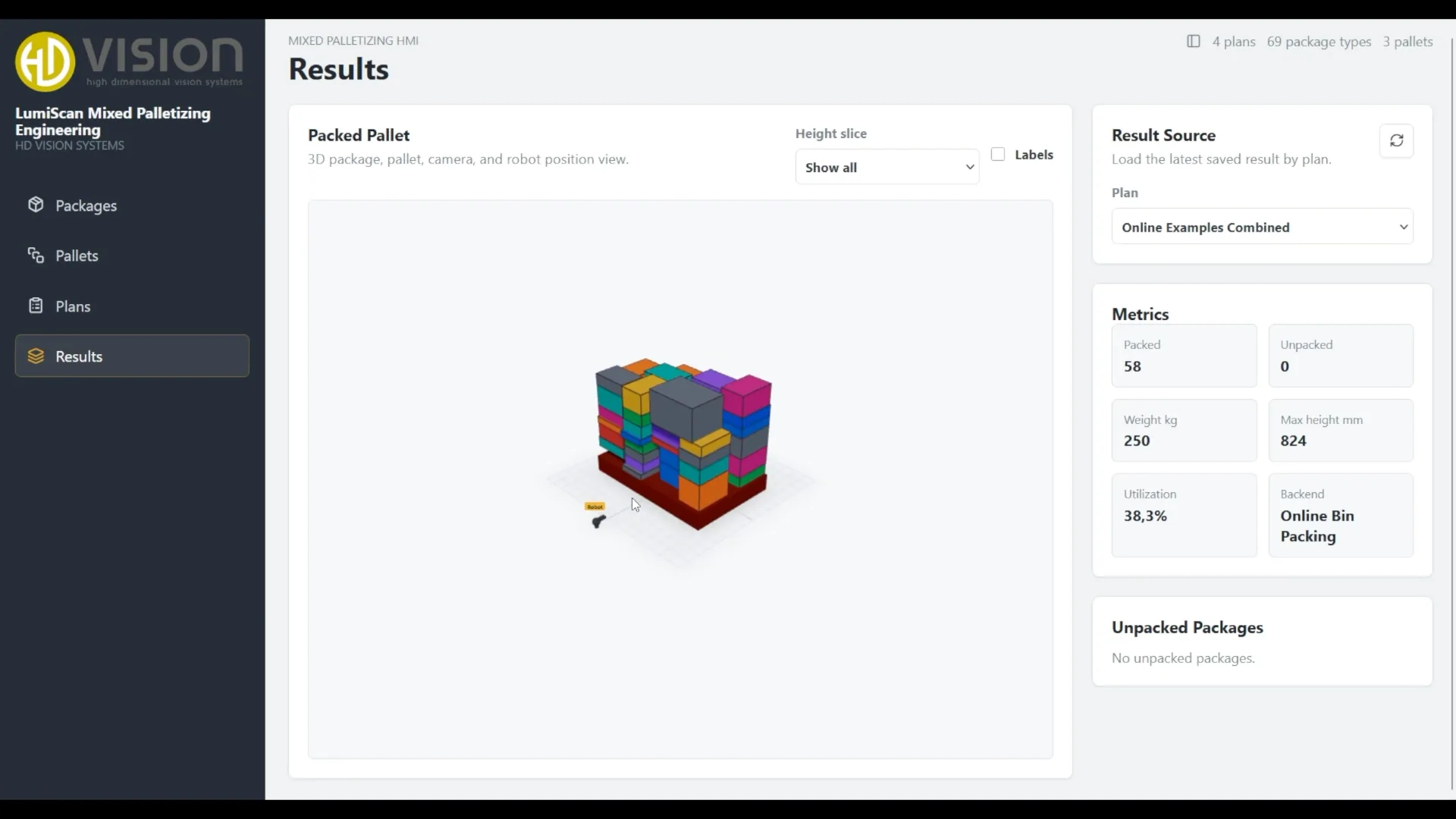
Packed packages
58
Unpacked packages
0
Package weight
250 kg
Maximum height
824 mm

Values from the plan shown in the video poster. They describe this example arrangement, not cell throughput or equipment load capacity.

Inspect placements and remaining cartons

Use the height-slice view and package labels to inspect the arrangement. The result summary reports packed and unpacked packages, weight, maximum height and utilization.

Evaluate the complete cell

For a production trial, agree the carton mix and infeed sequence, then measure completed pallets and handling cycles with the actual robot, gripper and material flow.

SEE THE PLANNING WORKFLOW

From carton data to a pallet plan.

Explore Packages, Pallets, Plans and Results. Product data and pallet definitions can be reused across orders.

Define your carton mix.

Define each package type and the stacking constraints the plan needs to respect.

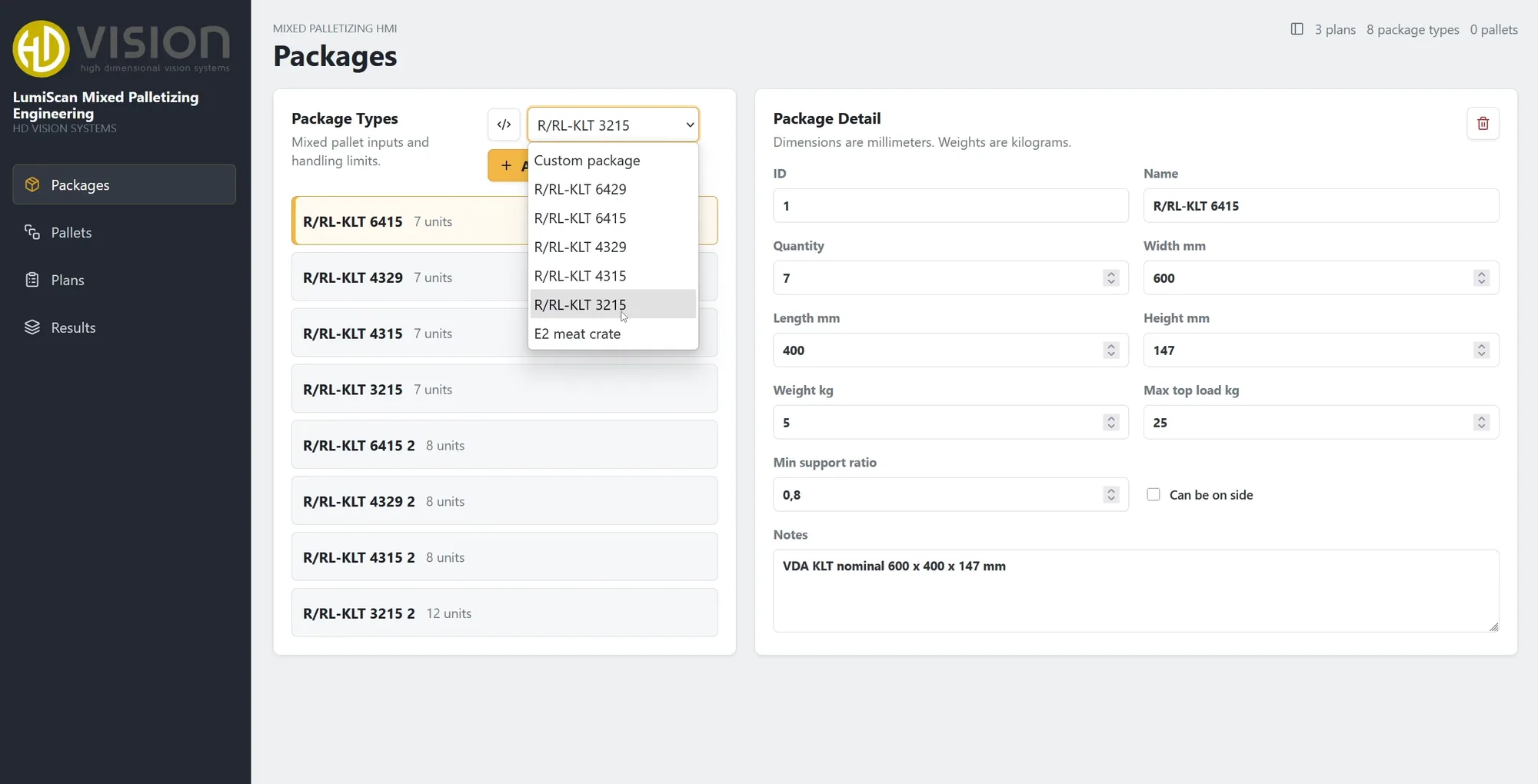
Package data
Dimensions, weight & quantity
Stacking limits
Top load, support & orientation
LumiScan Mixed Palletizing Engineering Packages editor showing dimensions, quantity, weight, top load and minimum support ratio.
Packages editor · Dimensions and handling constraintsEnlarge

Set the available space.

Choose a pallet format or enter your own dimensions, load limit and maximum stack height.

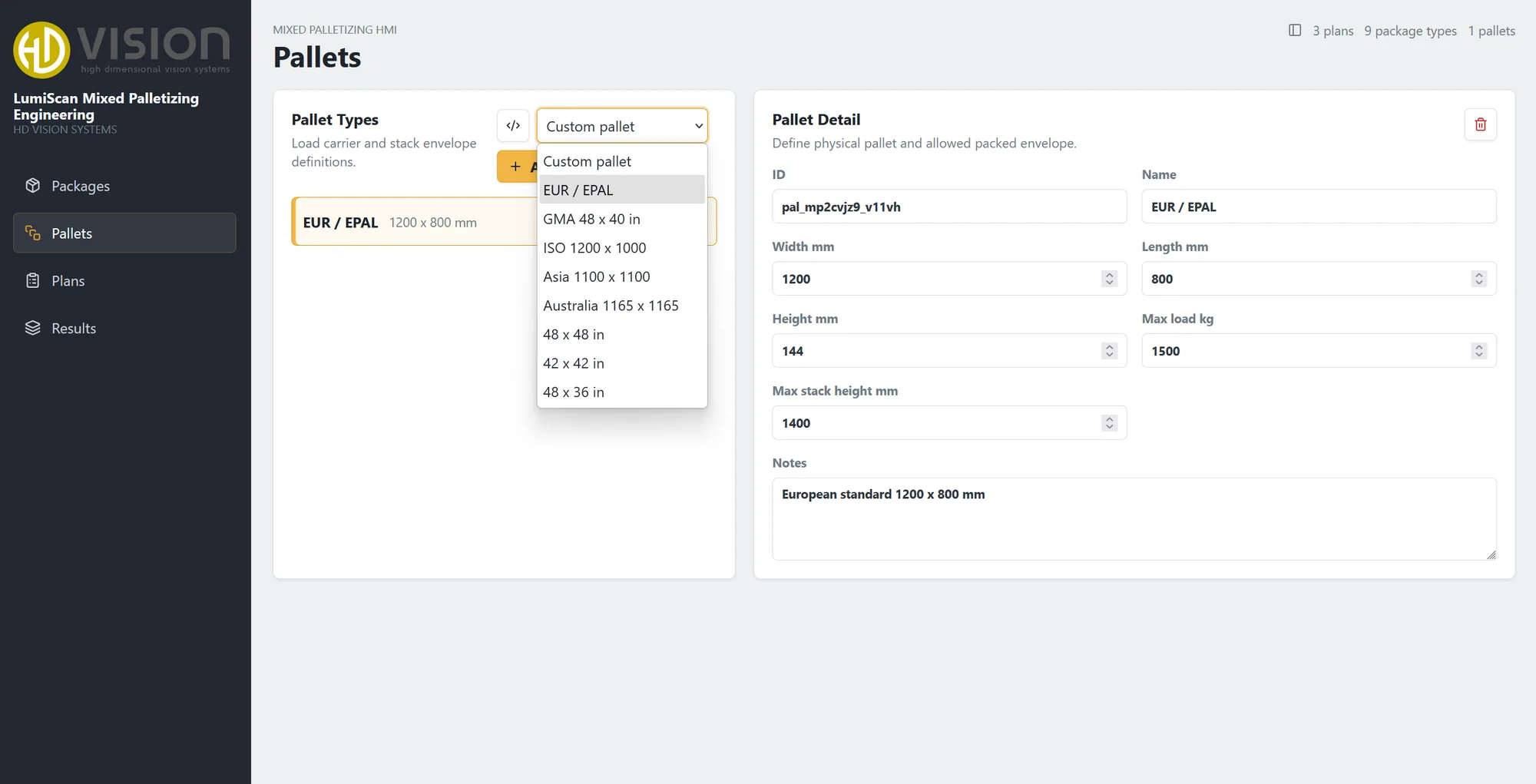
Pallet format
Standard or custom dimensions
Load envelope
Maximum load & stack height
LumiScan Mixed Palletizing Engineering Pallets editor with EUR / EPAL selected and editable footprint, base height, load and stack limits.
Pallets editor · Format and load envelopeEnlarge

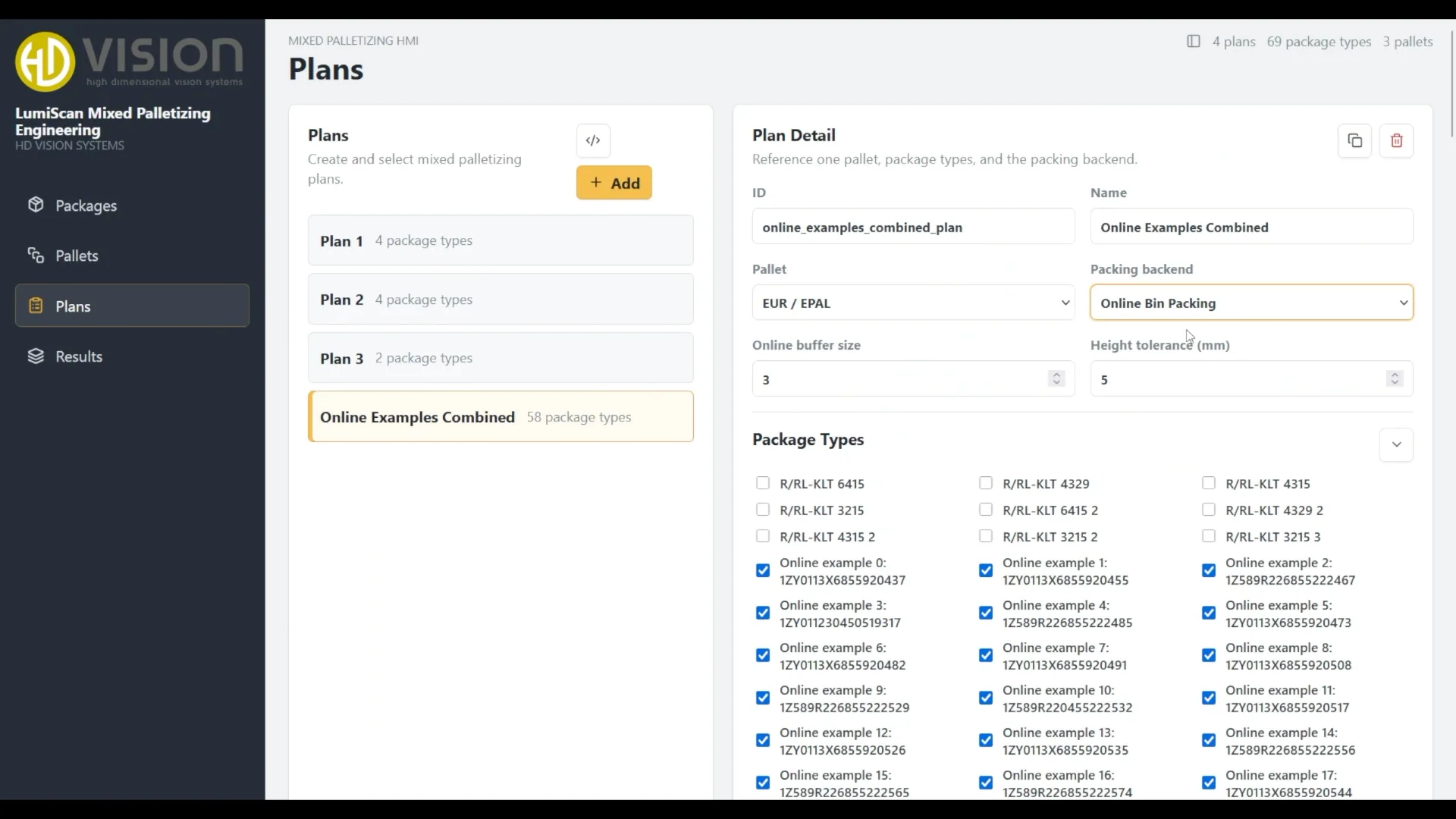
Calculate the arrangement.

Combine the selected pallet and package types in a plan, then calculate the packing arrangement.

Plan inputs
Pallet & selected package types
Calculation
Packing arrangement for review
Actual Plans screen from the product recording, with Online Examples Combined selected, a EUR / EPAL pallet and package-type selection.
Plans editor · Pallet and package selectionEnlarge

Inspect the planned load.

Inspect the calculated 3D arrangement and check quantities, total package weight, height and reported utilization.

Visual review
3D arrangement & height slices
Packing statistics
Quantities, weight, height & utilization
Actual Results screen from the product recording, showing a mixed pallet and example metrics of 58 packed packages, zero unpacked, 250 kilograms and 824 millimetres maximum height.
Results view · Example calculation from the product recordingEnlarge

Stacking rules in practice

Maximum top load
The permitted load above a carton, entered for each package type.
Minimum support ratio
The required proportion of support beneath a package in the planned stack.
Side placement
Specify whether a carton may be placed on its side, alongside its dimensional and weight data.
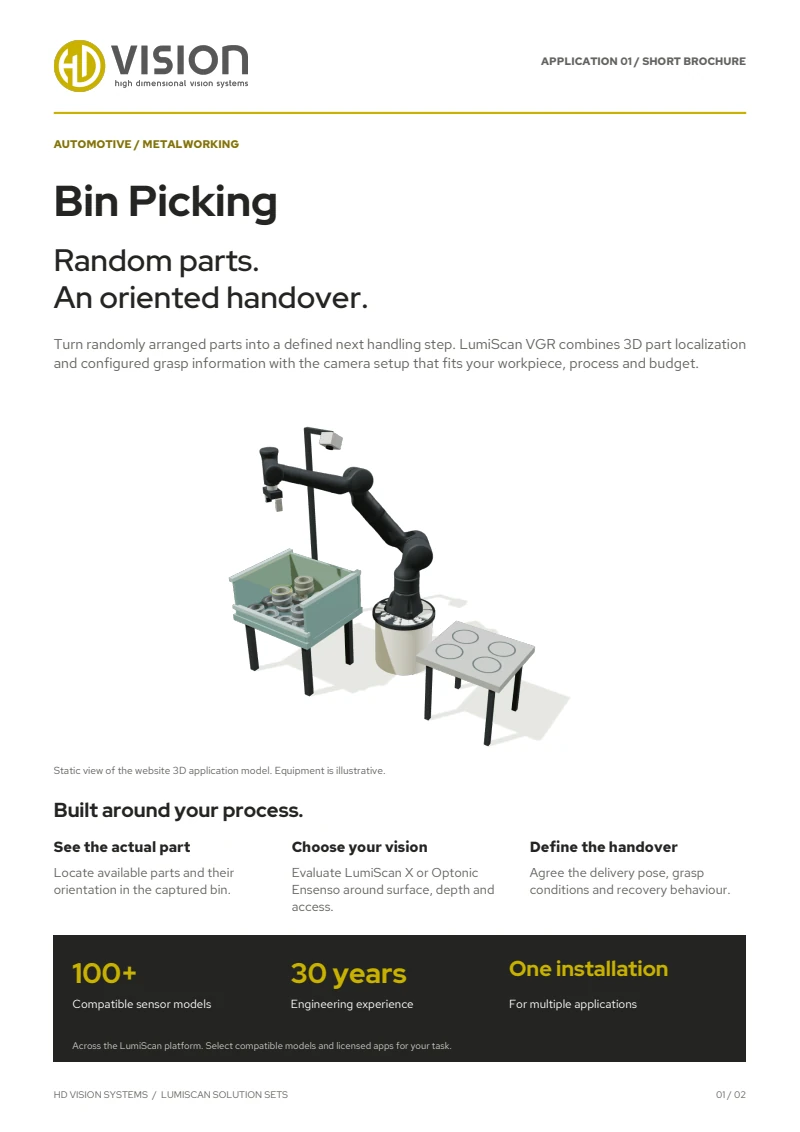
First page of the English LumiScan Solution Sets brochure, featuring the Bin Picking application

TAKE LUMISCAN WITH YOU

Six applications. One brochure.

From Bin Picking to Machine Tending: explore our six LumiScan Solution Sets and the vision behind each application.

Free · We’ll email you the download link.

LUMISCAN SOLUTION SETS

Your LumiScan brochure

An overview of all six applications in one English PDF. We’ll email you the download link.

We’ll email you a download link that is valid for seven days. We use your address only for this; you won’t be subscribed to any newsletter. Privacy details

Documentation & downloads.

Frequently asked questions

What does LumiScan Mixed Palletizing Engineering do?

It calculates the position of every carton from dimensions, weights and planning rules such as maximum top load, minimum support ratio and whether a carton may be placed on its side. You review the planned pallet in 3D, then specify vision and robot handling for the cell.

Which hardware does the solution set use?

Set 01 combines a LUCID Helios time-of-flight camera with LumiScan VGR Lite. The camera variant is chosen for the working volume of your cell.

Which industries is it for?

Intralogistics, fast-moving consumer goods and e-commerce – wherever pallets are built from cartons of different sizes.

What do you need from us to start?

Product dimensions, order quantities and pallet limits. With these we define a representative planning example, the cell configuration and the acceptance criteria.

PLAN A REPRESENTATIVE APPLICATION TEST

Start with your carton mix.

Share product dimensions, order quantities and pallet limits. Together, we can define the planning example, cell configuration and acceptance criteria.

YOUR ENQUIRY

Let’s talk about your application.

A few details are enough – we get back to you within one business day. Prefer to talk? +49 6221 6721900

Up to 3 files, 10 MB in total · JPG, PNG, PDF, STEP

We use your details to answer your enquiry. See the privacy notice.